

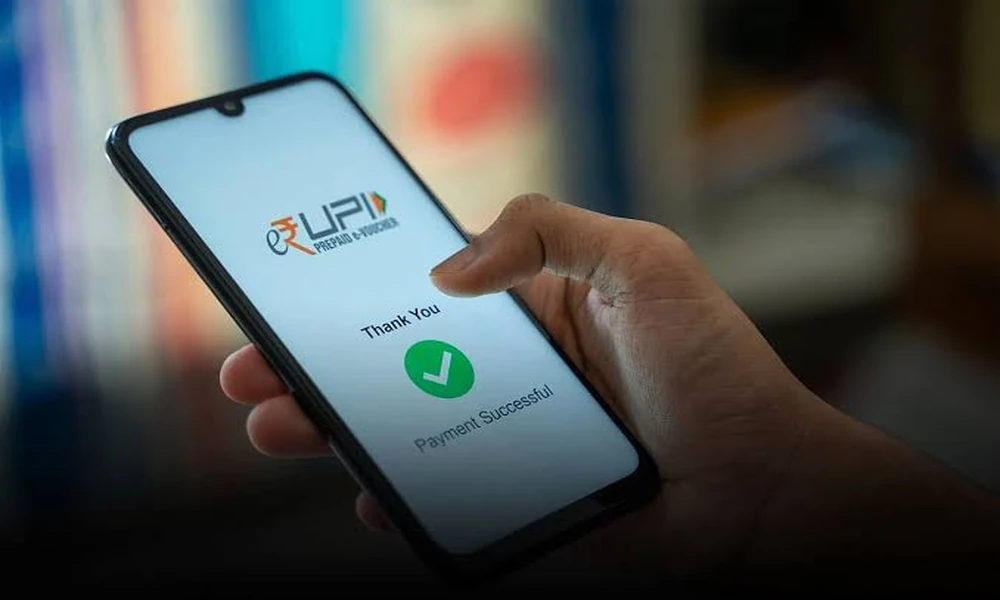

An online UPI payment app can make everyday transactions faster by allowing users to send money, pay merchants, manage recurring expenses, and complete routine payments from a mobile device. The convenience is useful, but the real value comes from using digital payments in a more organised way.
Instead of treating each transaction as an isolated payment, users can use their payment history to understand spending patterns, identify recurring obligations, and build better financial routines. Small daily transactions may seem insignificant individually, but together they can represent a large part of the monthly budget.
A structured approach can make digital payments more useful for both convenience and money management.
Begin With The Payments You Make Most Often
Most people repeat the same types of payments every month.
These may include:
- Groceries
- Fuel
- Mobile recharges
- Utility expenses
- Rent-related transfers
- Subscription payments
- Local merchant purchases
Identifying these recurring categories helps users understand where UPI is most useful in their daily routine.
It also makes it easier to track which expenses are predictable and which are discretionary.
Separate Essential Spending From Casual Spending
UPI payments can make transactions feel quick and effortless.
That ease can sometimes reduce awareness of how often money is being spent.
A useful habit is to mentally separate transactions into:
- Essential
- Planned
- Optional
- Impulsive
This does not require avoiding small purchases altogether.
The objective is to notice how frequently optional spending occurs and whether it affects savings or other financial commitments.
Set A Monthly Digital Spending Reference Point
Users can create a rough spending limit for categories commonly paid through UPI.
For example:
- Food
- Transport
- Entertainment
- Shopping
- Household expenses
This does not need to be a strict restriction.
It simply provides a reference point.
If spending rises significantly above the normal level, the user can review what changed before the month ends.
Use Transaction History As A Spending Record
Digital payments naturally create a transaction trail.
This can be useful for reviewing:
- Payment dates
- Merchant names
- Transfer amounts
- Repeated expenses
- Unexpected transactions
Instead of relying on memory, users can periodically check their transaction history.
This can make budgeting more accurate.
It can also help identify small recurring expenses that may otherwise be overlooked.
Create A Routine For Monthly Obligations
Many monthly expenses follow predictable dates.
These may include:
- Mobile bills
- Electricity
- Internet
- Insurance
- Rent
- Subscription renewals
Keeping these obligations visible can reduce the risk of missing a payment.
A simple monthly checklist can help users plan cash flow before discretionary spending increases.
Keep Enough Balance For Known Expenses
Digital payments are convenient only when sufficient funds are available.
Users should avoid spending money reserved for upcoming obligations.
For example, funds required for rent, insurance, or school fees should ideally remain separate from discretionary spending.
This helps ensure that essential payments are not affected by frequent small transactions.
Avoid Treating Cashback As Extra Income
Offers and rewards can make digital payments more attractive.
However, cashback should not be treated as guaranteed income.
A purchase should still make sense without the reward.
Spending more simply to qualify for an offer can reduce the actual financial benefit.
Rewards are most useful when attached to a transaction that would have happened anyway.
Include Recurring Bills In Your Payment Planning
Users who regularly make bill payment transactions can include these expenses in the same monthly planning system as groceries, rent, transport, and other routine outflows.
This provides a clearer picture of total committed spending.
When recurring bills are visible before discretionary purchases are made, monthly cash flow becomes easier to manage.
Verify The Recipient Before Sending Money
UPI transactions are often completed quickly.
That makes verification important.
- Recipient name
- UPI ID
- Amount
- Purpose of payment
A few seconds of verification can prevent avoidable mistakes.
Users should be especially careful when sending money to a new recipient.
Be Cautious With Payment Requests
Not every payment request is legitimate.
Users should review incoming requests carefully before approving them.
Avoid approving a request simply because:
- It appears urgent
- The sender claims to be customer support
- The message mentions a refund
- The request comes unexpectedly
Receiving money generally should not require sharing sensitive credentials.
Unexpected requests should be treated with caution.
Protect Your UPI PIN
A UPI PIN should remain private.
Users should not share it with:
- Customer support representatives
- Merchants
- Friends
- Unknown callers
The PIN is used to authorise transactions and should only be entered within the official payment flow.
Similarly, OTPs and banking credentials should never be shared casually.
Keep The App And Device Secure
Digital payment safety also depends on device security.
Useful habits include:
- Keeping the phone locked
- Updating the operating system
- Updating the payment app
- Avoiding unknown app downloads
- Using official app stores
If a phone is lost or stolen, users should act quickly to secure linked financial accounts.
Basic device protection supports safer payment activity.
Review Small Transactions Weekly
Large expenses usually receive attention automatically.
Small payments often do not.
A weekly review can reveal patterns such as:
- Frequent food orders
- Repeated transport expenses
- Small shopping purchases
- Subscription renewals
Individually, these may appear minor.
Together, they can materially affect monthly spending.
Use UPI For Convenience Without Losing Budget Discipline
The speed of digital payments can be helpful, but convenience should not determine whether a purchase is affordable.
Before spending, users can ask:
- Is this planned
- Is this necessary
- Does it fit this month’s budget
The payment method does not change the financial impact of the purchase.
A quick transaction is still an expense.
Maintain A Backup Payment Method
Technical issues can occasionally affect digital transactions.
Users may benefit from having an alternative payment option available for essential situations.
This may include:
- Another bank account
- Debit card
- Limited cash
The goal is not to avoid UPI.
It is to prevent complete dependence on one payment channel.
Check Failed Transactions Carefully
A failed payment can sometimes create confusion about whether money was debited.
Users should:
- Review transaction status
- Check the linked bank account
- Avoid immediately repeating large payments
- Follow official support processes if required
Keeping transaction references can make follow-up easier.
Users should rely on official channels rather than sharing financial details with unknown individuals.
Match Payment Convenience With Savings Discipline
Digital payments work best when they are part of a larger money routine.
Users can separate income into categories such as:
- Essential expenses
- Savings
- Investments
- Discretionary spending
Once savings and required expenses are accounted for, everyday payment decisions become easier.
This prevents convenience from gradually replacing financial planning.
Review Monthly Patterns Rather Than Individual Purchases
One expensive purchase may not always be the main issue.
A repeated pattern of moderate spending can have a greater impact.
- Most frequent payment categories
- Largest recurring expenses
- Unexpected spending
- Changes from the previous month
This gives a more useful picture than judging each payment individually.
Build Better Habits Around Digital Transactions
Good digital payment habits are usually simple.
They include:
- Checking before paying
- Tracking recurring costs
- Protecting credentials
- Reviewing spending
- Keeping enough balance for essential expenses
The aim is not to complicate payments.
It is to combine convenience with financial awareness.
Conclusion
An online UPI payment app can support everyday financial activity by making transactions quick and accessible, but its usefulness increases when it is paired with good money habits.
Users can benefit from tracking recurring payments, reviewing transaction history, separating essential and discretionary spending, protecting payment credentials, and maintaining sufficient funds for planned obligations.
Digital payments work best when speed is combined with awareness. A simple monthly routine can turn everyday transactions into a clearer picture of how money is being used.
FAQs
1. How Can An Online UPI Payment App Help With Daily Money Management
It can help users make payments, review transaction history, track recurring expenses, and organise everyday financial activity from one mobile interface.
2. Is It Safe To Use UPI For Regular Payments
UPI can be used securely when users protect their PIN, verify recipients, use official apps, and avoid sharing sensitive banking information.
3. Should I Track Small UPI Transactions
Yes. Frequent small transactions can add up over time, so reviewing them can provide a more accurate picture of monthly spending.
4. What Should I Do Before Approving A UPI Payment Request
Check the sender, amount, purpose, and whether the request was expected. Avoid approving unfamiliar or suspicious requests.
5. How Can I Avoid Overspending Through UPI
Set category-based spending limits, review transactions regularly, separate essential expenses from optional spending, and account for savings before discretionary purchases.

